Direct chat
Skip the one-time contact
Start a conversation from a phone number without filling your address book with temporary entries.
 TapChat
A quicker way to start a conversation
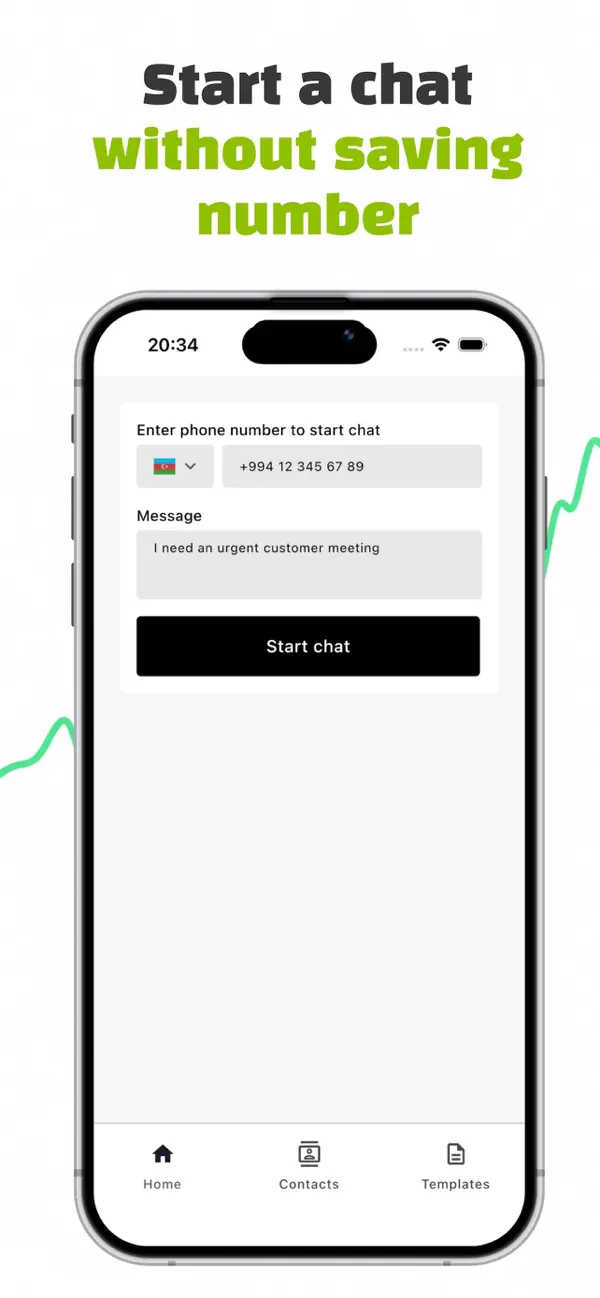
Open WhatsApp, WhatsApp Business, or your Messages app with a phone number and an optional message. No new contact needed.
Available for Android, iPhone, and iPad.
Works with
How it works
TapChat removes the temporary contact from the process, so you can reach someone without adding them to your address book first.
Choose the country code and type or paste the phone number you want to reach.
Write an optional message now, or leave it blank and continue straight to the chat.
Open the conversation in an available WhatsApp app or in your device’s Messages app.
More than a shortcut
Built-in tools help you move quickly when the same numbers or messages come up again.
Direct chat
Start a conversation from a phone number without filling your address book with temporary entries.
Optional message
Add the first message in TapChat and carry it into the messaging app you choose.
Templates
Keep useful message templates for follow-ups, reminders, support, scheduling, and more.
Recents and contacts
Find recent conversations and save the people you intentionally want to keep in TapChat.
Frequently asked questions
No. Enter the number in TapChat and open the conversation directly in the messaging app.
TapChat supports WhatsApp, WhatsApp Business, and the device’s Messages app when they are available.
Yes. Add an optional message before opening the conversation, or continue with only the phone number.
You can download TapChat for Android from Google Play and for iPhone or iPad from the App Store.
Ready when the number is
Download TapChat and keep one-time numbers out of your contacts.
Need help?
For support or questions about TapChat, email Farid Mammadov.